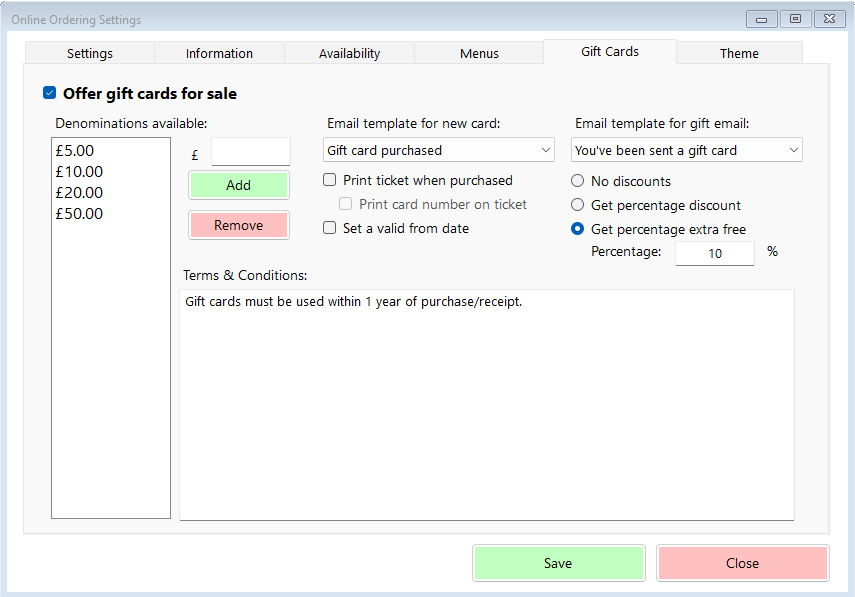

Activate Gift Cards
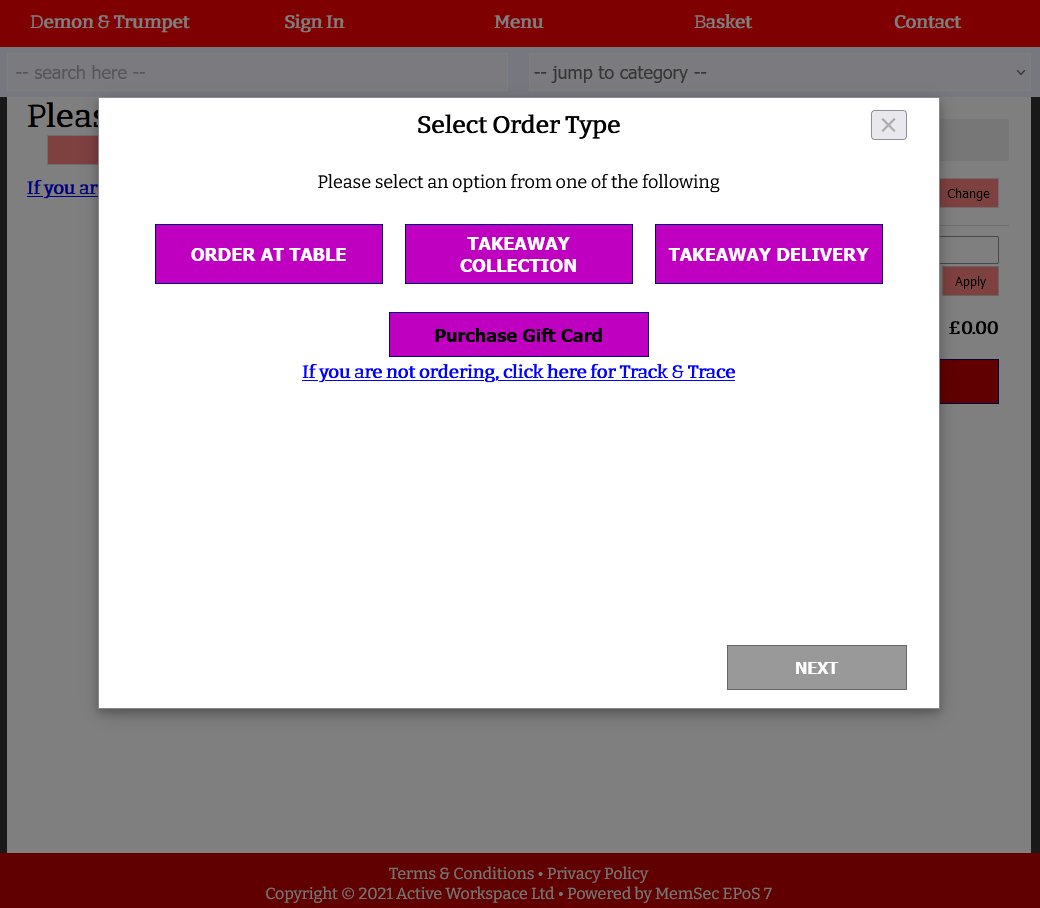
Not all sites wish to offer gift cards, so if you do the first step is to activate the option by ticking this box. With this box ticked, your online ordering users will be presented with the additional option when they first open the page, as seen below.
Denomination Setup
Where on-site gift voucher sales in Memsec7 can be any denomination and are decided individually, online vouchers must be of a set value. You can specify as many as you want, and customers can only purchase a single voucher at a time so you will need to provide a range of options. To do so, simply type a value into the box marked ‘£’ and click ‘Add’.
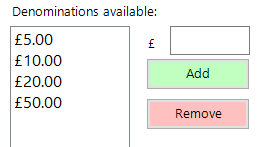
If you make a mistake, or if at a later date you wish to remove a particular denomination, simply highlight it in the list and click ‘Remove’. Each value in the list will have its own button in the app. The list above creates an app screen like the one shown below.
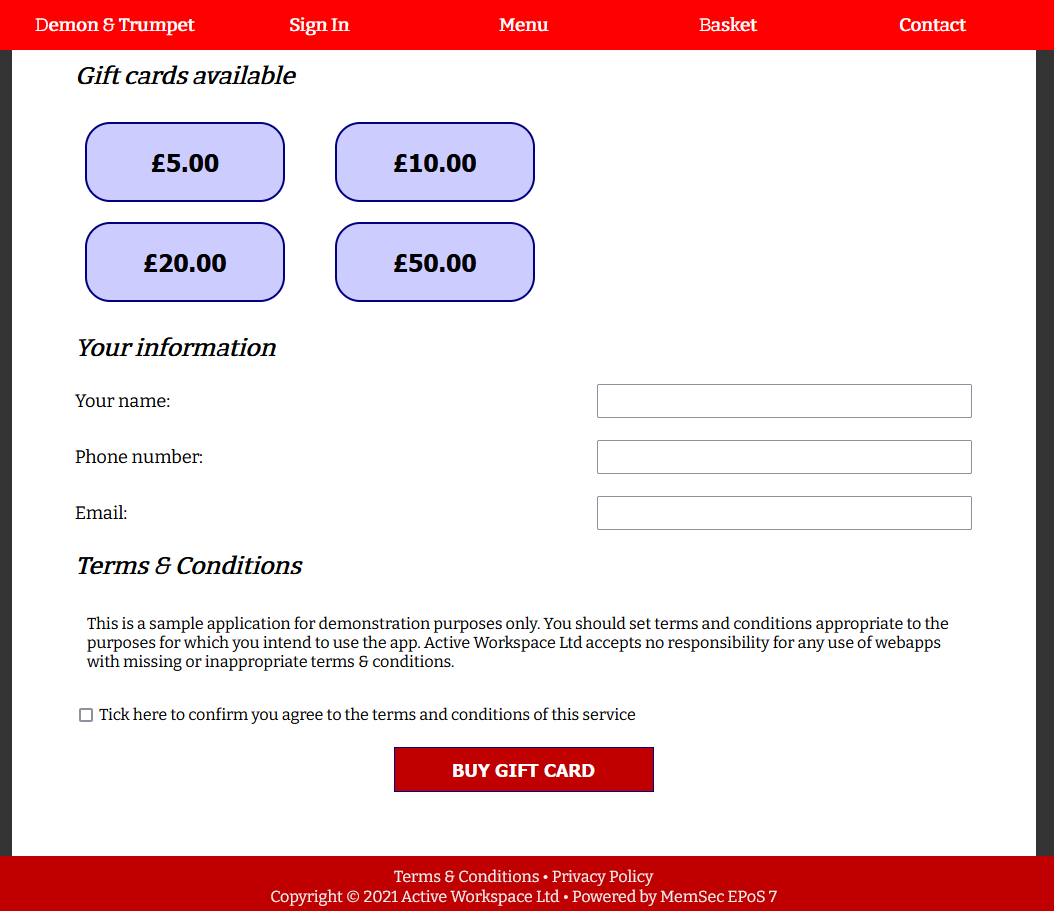
The customer selects the value they wish to purchase, fills in their details, agrees to the terms and conditions and then clicks ‘Buy Gift Card’. Once they complete their payment the gift card is automatically emailed to them.
Email Templates
You should compose your own email to send to customers when they purchase a gift card online, as well as one for the end recipient of the gift voucher. To do so, go to General>Email Settings and click on the Templates tab. Click Gift Card at the bottom, then Add New. As with all email templates you can choose fonts, insert images or attachments and include merge fields specific to the template type. The image below shows the fields for Gift Vouchers. PLEASE NOTE – your templates MUST include the Card Number merge field somewhere in the message.
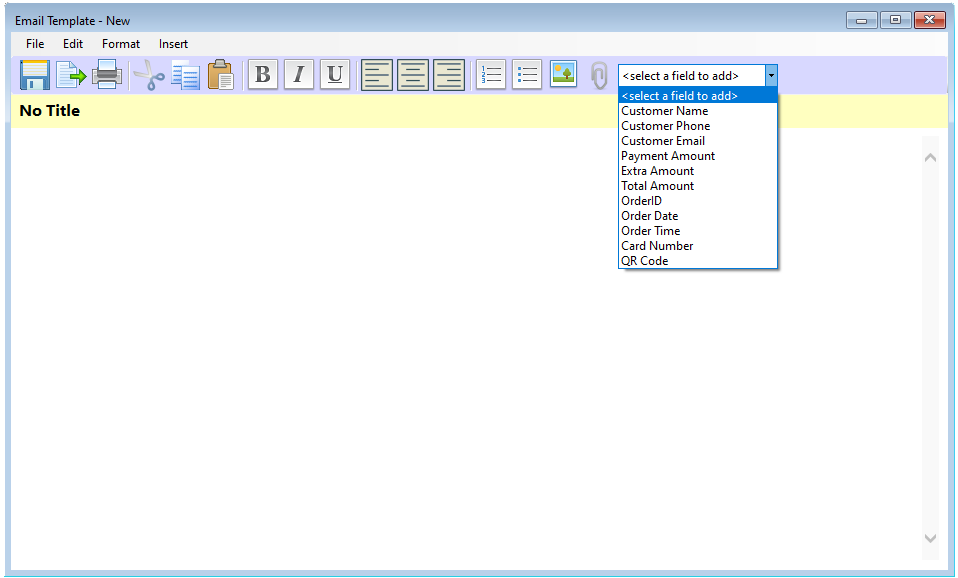
Once you’ve created a template, it will be selectable in the drop-down lists here. If you don’t create and specify a template for a new card, a printout will be received on site but the customer won’t have confirmation other than the on-screen purchase confirmation at the end of the sale process. Similarly, if you do not set up and select a gift email template, no second email will be sent to the end recipient.